Be careful: do not automatically forward emails containing sensitive information.
Configuration
Customize the email template
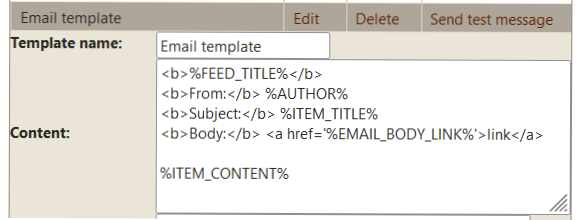
The /add_email command also creates an Email template. Use the /template
command to open the template page.
Default Email template created by /add_email.
By default, you receive:
From: %AUTHOR%
Subject: %ITEM_TITLE%
Body as a link: %EMAIL_BODY_LINK%
Body directly in Telegram: %EMAIL_BODY%
Text-only body: %ITEM_CONTENT%
Use %EMAIL_BODY% to display the email body directly in Telegram. HTML emails are
converted to a Telegram-compatible format; formatting that Telegram does not support may be
simplified.
Use %EMAIL_BODY_LINK% to open the original HTML body in a browser. If the email contains
a text body, you can also display it with %ITEM_CONTENT%.
%SEND_EML_FILE%Add this anywhere in the template content to receive the whole email as a .eml file.
Attachments
Receive attached files
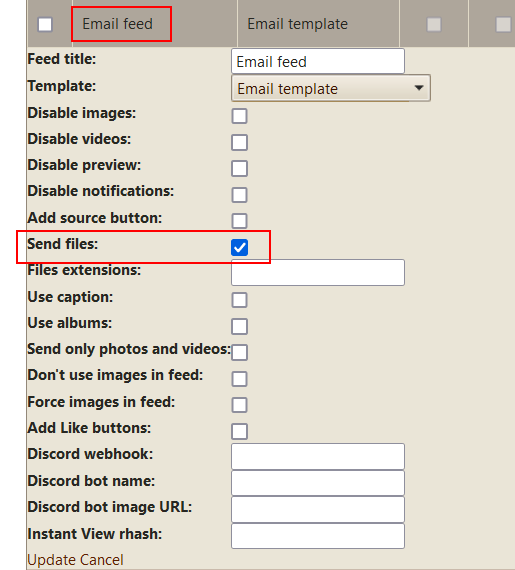
To receive the files attached to your emails, check send files in the feed settings.
Enable send files to receive email attachments.
Need help?
If you have any trouble configuring email reception, contact @jcmag on Telegram.